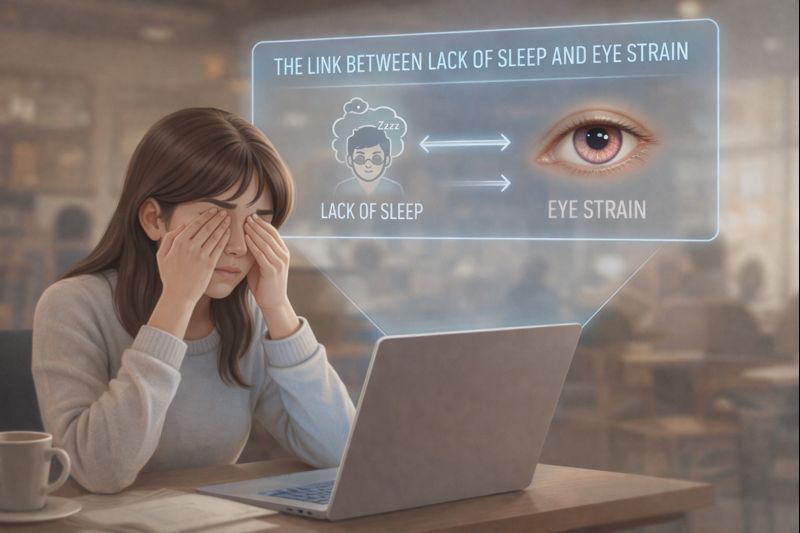
Looking for an effective eye strain treatment? A warm compress can help some eyelid conditions, while lubricating drops help many dry eyes. First, the treatment needs to match the cause.
A screen-heavy day asks the eyes to hold near focus for long periods. That is a useful place to start this story.
Shifting focus and blinking fully are easy to forget during an absorbing task.
That blinking matters more than we realise.
Each complete blink helps spread the tear film across the eye surface, keeping it smooth and comfortable.
At a desk, attention often stays on a display for hours. Focusing demands and blinking habits both deserve a look.
How Screen Tasks Can Affect Blinking and Comfort
During demanding screen tasks, people may blink less often or incompletely. The amount varies with the task and person.
That means the eye’s natural lubrication system slows down.
This is one of the main reasons behind what doctors call computer vision syndrome, a condition now common among desk workers and professionals.
By late afternoon, the symptoms are familiar:
- Burning or gritty eyes
- Redness
- Watering
- A heavy, tired feeling behind the eyes
Most people respond the same way.
They reach for eye drops.
Why the Cause Matters Before Choosing Treatment
Eye drops feel logical. They are cool, soothing, and instantly calming.
But the choice depends on what is causing the discomfort.
Digital eye strain can include tear-film problems, focusing demands, glare and an uncorrected prescription.
Reduced or poor-quality oil from the eyelid glands is one possibility, not the cause in every computer user.
A useful simplified picture of the tear film includes water, mucins and lipids:
- Mucins that help wet the eye surface
- An aqueous component
- A thin oily top layer
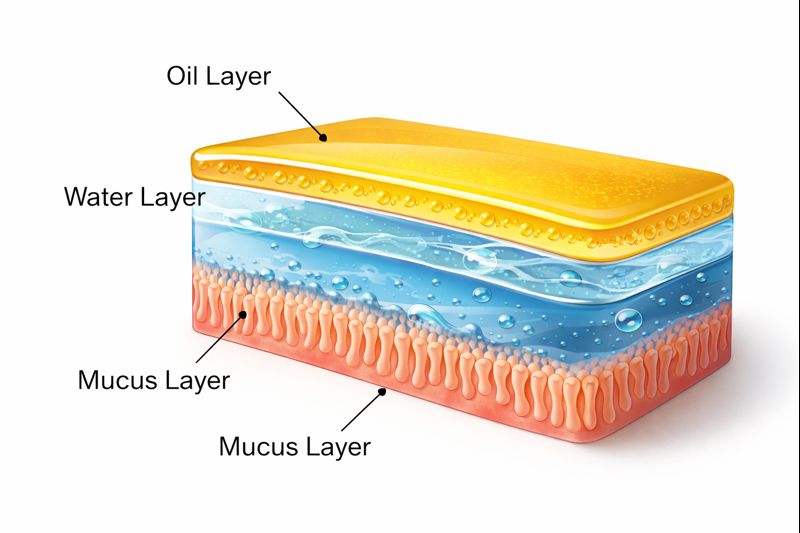
The lipid component helps limit evaporation. The diagram is a simplified teaching model rather than three completely separate compartments.
Meibomian glands in the eyelids supply much of that oil.
Complete blinking helps spread it across the surface.
Incomplete blinking can leave that surface less well protected.
Some people also have meibomian gland dysfunction, where gland openings or secretions are abnormal. An examination helps distinguish it from other causes.
Lubricants and eyelid treatments can play complementary roles; a lack of response to one bottle of drops does not diagnose a blocked gland.
Heat and Drops: Different Roles in Eye Care

1. Eye Drops: Lubrication and Specific Treatments
Artificial tears are a common treatment for mild dry eye. They are different from drops marketed mainly to reduce redness.
Some people need prescription treatment or a lubricant that better fits their tear-film problem.
The National Eye Institute explains that treatment depends on the cause and may include lubricants, medicines and changes to the environment.
Persistent symptoms need a treatment review rather than a general claim that drops only mask the problem.
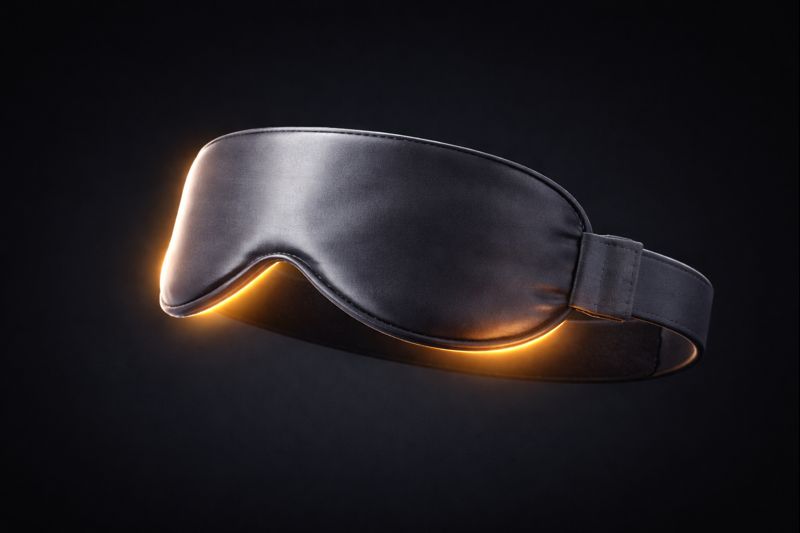
2. Microwave Masks: Follow the Device Instructions
Warm masks and clean warm compresses can be used for some eyelid conditions. How long they stay warm varies by product and preparation.
Follow the manufacturer’s heating and use instructions. Neither a microwave nor an electrically heated mask is a universal winner, and overheating can injure delicate skin.
3. Gentle Warmth: When Gland Care Is Appropriate
Gentle warmth can support eyelid care when thickened secretions or blepharitis are part of the problem.
That is a reason to consider warmth for an appropriate diagnosis, not evidence that it outperforms drops for all digital eye strain.
The American Academy of Ophthalmology describes warm compresses and other treatments for blepharitis. Your clinician can explain which care fits your eyelids.
Using Warmth Safely When It Has Been Recommended
This is a supportive routine for appropriate eyelid care; it is not a substitute for finding the cause of pain, redness or blur.
Step 1: Use Comfortable Warmth
Use a clean compress or mask over closed lids as instructed by your clinician and the device maker. Test the warmth first; it should not be hot or painful. Do not sleep with a heated device on.
Step 2: Avoid Pressure on the Eye
Ask your clinician whether lid massage is appropriate and how to do it. Do not squeeze the lids or press on the eyeball.
Step 3: Blink Fully
After removing the compress, blink normally and see whether comfort improves.
Do not treat blur as proof that the mask is working. Stop if it causes pain or irritation; persistent blur, severe pain or sudden vision change needs prompt assessment.
Why Eye Strain Often Links to Sleep and Brain Fatigue
Eye strain rarely exists alone.
Many people with tired eyes also report poor sleep recovery and mental fatigue.
That connection is explained in detail here.
For persistent tiredness despite sleep, look beyond screens alone. It does not establish that brain recovery or blinking has failed.
The Calm Takeaway
Eye discomfort during screen work can have several contributors. It is a reason to review your setup, habits and symptoms.
Drops and warmth serve different purposes, and may be used together when appropriate.
For a computer user, the useful question is whether warm eyelid care matches the diagnosed problem—not whether heat wins a general contest against drops.
Support comfortable blinking, a suitable setup and care that fits your symptoms.
Is a heated eye mask good for eye strain?
A warm compress may help when blepharitis or meibomian gland dysfunction contributes to symptoms. It is not a universal treatment for digital eye strain, and artificial tears may also be appropriate. The cause needs to be checked.
How long should I wear a heated eye mask?
Follow the device instructions and your clinician’s advice. Use comfortable warmth, not a fixed high-temperature target; stop if it hurts or irritates. Do not sleep in a heated mask. No universal USB-over-microwave advantage is established here.
Which is better: Cold compress or warm compress for eye strain?
The appropriate choice depends on the cause. Warmth can support eyelid care in some gland conditions; a cool compress may be soothing in other situations. Computer use alone does not establish that heat is needed. Pain or persistent blur needs assessment.
Editorial Note
This article is for educational purposes only and does not replace medical advice.