
Written and medically reviewed by Dr. Samir Serasiya, DNB (Ophthalmology)
Practicing Ophthalmologist | Meera Clinic and Eye Hospital, Vadodara
Last reviewed: June 2026
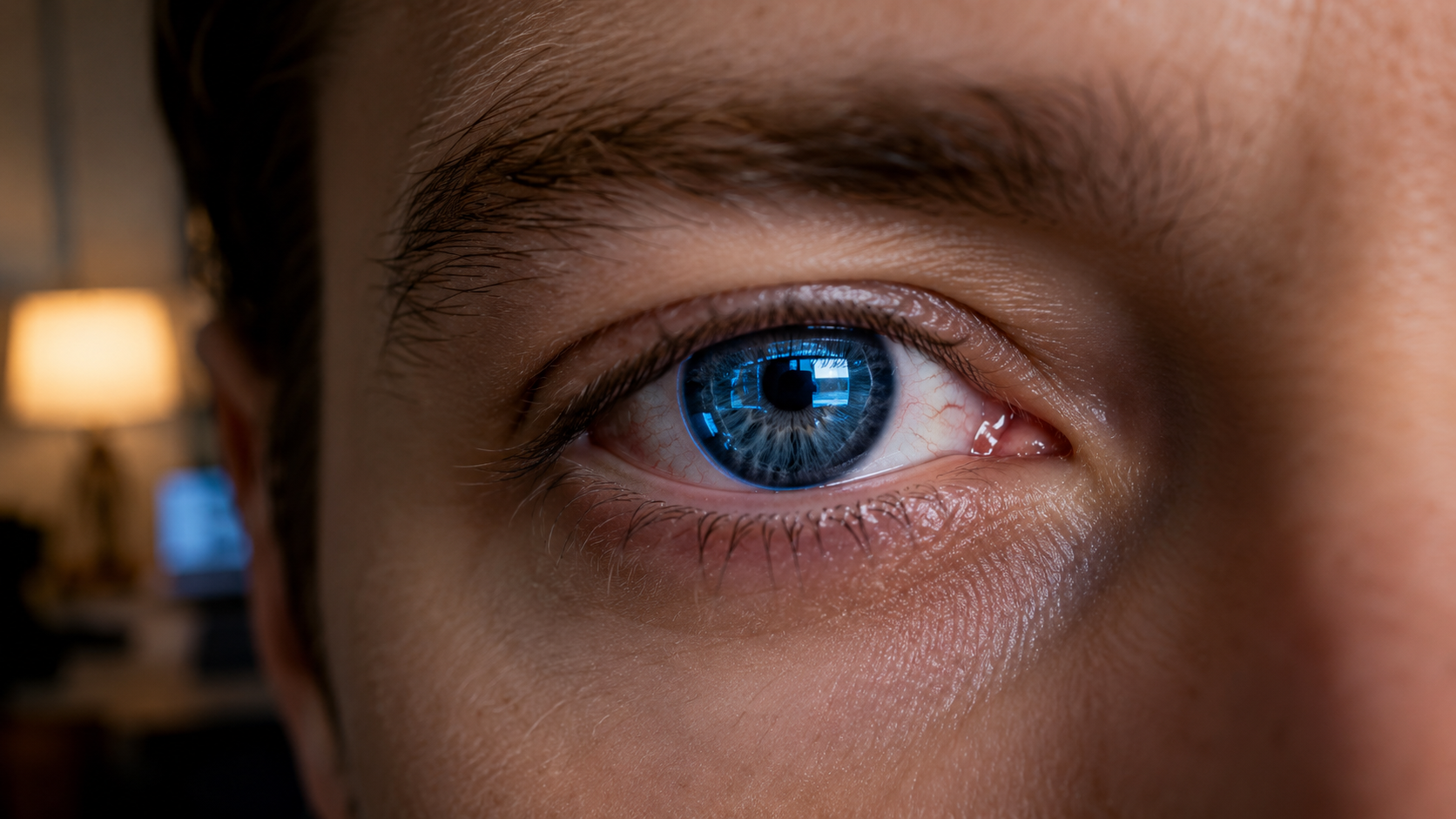
Clinical Note from Dr. Serasiya: In my outpatient practice, Computer Vision Syndrome is among the most frequent presenting complaints I see in working professionals aged 25–50. The pattern is almost always the same — patients arrive describing symptoms they have normalised over months, not realising they are describing a correctable condition. Most cases resolve significantly with ergonomic adjustments alone, before any medication is needed. This article explains what is actually happening and what to do about it.
It is a familiar moment for many professionals.
The workday is ending, but your body feels heavier than it should. Your eyes feel dry and tired. There is a dull pressure behind the forehead. Your neck feels stiff, almost locked in place.
We often dismiss this as “just screen fatigue” or a long day at work. But when these symptoms repeat themselves, day after day, they point to something more specific — and more preventable.
This pattern is known as Computer Vision Syndrome, a modern occupational condition caused by prolonged screen-based work.
What Is Computer Vision Syndrome (CVS)?
Computer Vision Syndrome (CVS) — sometimes referred to as digital eye strain or computer eye syndrome — describes a group of eye and vision-related symptoms that develop after prolonged use of computers, laptops, tablets, and other digital screens.
In simple terms, CVS occurs when the visual demands of digital work exceed the body’s ability to perform them comfortably.
It is not a disease. It is not permanent damage. It is a functional strain response — and that distinction matters, because functional problems are reversible when their causes are addressed.
Why Computer Vision Syndrome Is Not a Disease
CVS is best understood as a systems-level overload, not an eye disorder. It involves the visual system (focusing, eye coordination, blinking), the nervous system (attention, fatigue, headaches), and the musculoskeletal system (neck, shoulders, posture). Because it is functional, CVS is largely reversible when its root causes are corrected.
Computer Vision Syndrome at a Glance (High-Impact Fixes)
For busy professionals, these interventions deliver the highest return on effort because they target causes, not symptoms:
| Intervention | What To Do |
|---|---|
| Screen distance | ~50 cm (20 inches) from your eyes |
| Screen height | Centre of screen 15–20° below eye level |
| Lighting | Reduce glare; avoid harsh overhead illumination |
| 20-20-20 rule | Every 20 min, look 20 feet away for 20 seconds |
| Blink awareness | Blink more often — and completely |
Why Computer Vision Syndrome Happens
The strain of CVS is not random. It follows predictable physiological patterns.
Blink Mechanics
Under normal conditions, we blink approximately 14–16 times per minute. During screen use, this drops to 4–6 times per minute — and many of those blinks are incomplete.1
This matters because blinking spreads tears evenly across the ocular surface, prevents excessive tear evaporation, and supports the oil-secreting meibomian glands that stabilise the tear film. When blinking decreases, evaporative dry eye becomes one of the most consistent contributors to CVS.
Sustained Focusing Demand
Screens require the eyes to maintain continuous focus at near-to-intermediate distances, placing prolonged load on accommodation (the eye’s active focusing mechanism) and convergence (the coordinated inward movement of both eyes).
Uncorrected refractive errors — even mild astigmatism or latent hypermetropia — magnify this strain significantly. In my clinical experience, a significant proportion of patients presenting with CVS have uncorrected or under-corrected prescriptions that were previously asymptomatic. Screen work simply exposed the underlying problem.
Environmental Mismatch
Screens have lower contrast than printed text and are highly sensitive to reflected glare from overhead lights, windows, and bright surfaces. This forces the visual system to work harder simply to maintain clarity.
Low indoor humidity (below ~40%) and air-conditioned environments also accelerate tear evaporation, worsening ocular surface irritation throughout the day.
Prolonged Screen Exposure and Posture
Using digital devices for four or more hours per day significantly increases the risk of developing CVS symptoms.2 Poor posture compounds this — holding the head forward and downward increases the exposed ocular surface area, accelerating tear evaporation while simultaneously straining the cervical spine.
The eyes do not function in isolation. Posture is part of the visual system. If you spend long hours at a desk, your chair’s lumbar and back support directly affects your neck position and, by extension, your eye strain levels.
Symptoms of Computer Vision Syndrome
Because CVS affects multiple systems, symptoms appear across several domains.
Eye-related symptoms: dry, tired or irritated eyes; burning or gritty sensation; redness; heavy eyelids.
Visual symptoms: blurred or fluctuating vision; difficulty refocusing after near work; increased sensitivity to light.
Musculoskeletal symptoms: headaches (typically frontal or temporal); neck and shoulder stiffness; upper back discomfort.
Cognitive symptoms: difficulty concentrating; mental fatigue; reduced productivity toward end of day. Chronic screen fatigue can also compound stress responses — similar to what adaptogenic compounds address in high-stress professionals.
The Blue Light Misconception
Blue light has become a popular commercial explanation for digital eye strain. The evidence does not support this.
A 2021 Cochrane systematic review — one of the most rigorous standards in evidence-based medicine — found no clinically meaningful benefit of blue-light filtering lenses for reducing digital eye strain symptoms compared to standard lenses.3
The core drivers of CVS are visual workload, blink suppression, posture, and environmental mismatch — not blue light exposure. Blue-light glasses are a profitable product category. They are not, based on current evidence, a solution to CVS.
Evidence-Based Prevention of Computer Vision Syndrome
Visual Ergonomics: Optimise Your Setup
Position your screen approximately 50 cm (20 inches) away, with the centre 15–20° below eye level — this partially closes the eyelids and reduces exposed ocular surface area. Sit with hips fully back, head stacked naturally over shoulders with ears aligned over the shoulder joint. Place reference documents between keyboard and monitor height to avoid repeated vertical refocusing.
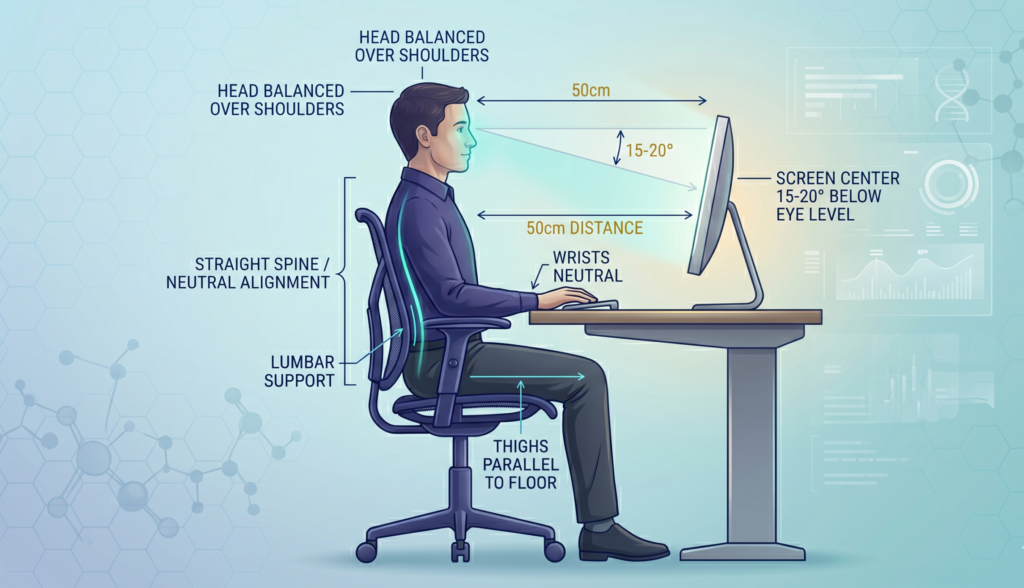
For specific equipment that helps implement these ergonomic principles — including monitor positioning tools — see our monitor light bar guide for reducing digital eye strain.
Lighting Control
Position screens perpendicular to windows, not facing them. Avoid harsh overhead fluorescent lighting directly above the workstation. Match screen brightness to ambient room lighting — a screen significantly brighter than the surrounding room creates the highest visual fatigue.
Blink Mechanics: Restore a Natural Reflex
Blink consciously and completely — partial blinks do not adequately spread the tear film. For patients with persistent dry eye symptoms secondary to screen work, I routinely recommend warm compresses for 5–10 minutes each evening to maintain meibomian gland function and improve overnight tear recovery.
Preservative-free lubricating eye drops can support tear stability during long screen sessions, but they address the symptom, not the cause. Supporting your body’s overnight recovery — including adequate magnesium for neuromuscular relaxation — is a useful complement; see our guide on magnesium glycinate protocols for India for evidence-based options.
20-20-20 and Structured Breaks
Every 20 minutes, look 20 feet away for 20 seconds. Step away from all screens for 15 minutes every two hours. Visual rest means not switching to a phone screen.
When to See an Ophthalmologist
CVS is usually functional and reversible. However, persistent symptoms after implementing ergonomic adjustments warrant a comprehensive eye examination to rule out:
Refractive causes: uncorrected or outdated spectacle prescription; latent hypermetropia; undetected astigmatism.
Binocular vision causes: convergence insufficiency; accommodative dysfunction.
Ocular surface causes: meibomian gland dysfunction (MGD) — the most common underlying cause of chronic dry eye in screen users; blepharitis or eyelid margin disease.
Red flags that require prompt evaluation — do not wait:
- Sudden blurred vision in one eye
- New or progressive double vision
- Eye pain (not just tiredness or dryness)
- Headaches worsening despite ergonomic correction
These symptoms are outside the spectrum of CVS and require direct clinical assessment.
Doctor’s Bottom Line
Computer Vision Syndrome is not an unavoidable consequence of modern work. It is a predictable response to a mismatch between how our visual system is built and how modern workspaces are designed.
Most of the mismatch is correctable. Screen distance, monitor height, lighting, and blinking habits are within your direct control — and changing them costs nothing.
If symptoms persist after a structured attempt at ergonomic correction, an eye examination is the right next step. In many cases, a simple updated prescription — or treatment of dry eye disease — resolves symptoms patients have lived with for years.
The goal is not to use screens less. It is to use them in a way that your visual system can sustain.
References
- Tsubota K, Nakamori K. Dry eyes and video display terminals. New England Journal of Medicine. 1993;328(8):584. PubMed
- Sheppard AL, Wolffsohn JS. Digital eye strain: prevalence, measurement and amelioration. BMJ Open Ophthalmology. 2018;3(1):e000146. PubMed
- Lawrenson JG, et al. Blue-light filtering spectacle lenses for visual performance, sleep, and macular health in adults. Cochrane Database of Systematic Reviews. 2021. Cochrane Library
Note: All cited studies are peer-reviewed. Where evidence is evolving or limited, this is stated clearly in the text.
Dr. Samir Serasiya, DNB (Ophthalmology), practises at Meera Clinic and Eye Hospital, Vadodara. He writes about evidence-based health for working professionals at meerawell.com. This article is for informational purposes and does not replace a clinical consultation.
Pingback: Computer Vision Syndrome: 5 Reasons You Need a Monitor Light Bar
Pingback: Sleep Deprivation Effects: Brain, Hormones & Longterm Health
Pingback: Blue Light Sleep: Why Night Mode Doesn’t Fix Sleep
Pingback: Does Lack of Sleep Cause Eye Strain? The Real Reason Eye Rest Fails
Pingback: Sleep But Still Tired: Why Your Brain Is Not Recovering
Pingback: The Sleep Company vs. Green Soul: A Doctor’s Review (2026)
Pingback: Eye Strain Treatment: Why You Need Heat, Not Drops (Doctor's Protocol)
Pingback: 7 Simple Screen Headache From Computer Work Relief Tips